Work — Business Expense Manager

Business Expense Manager
Team spends, approvals, reimbursements.
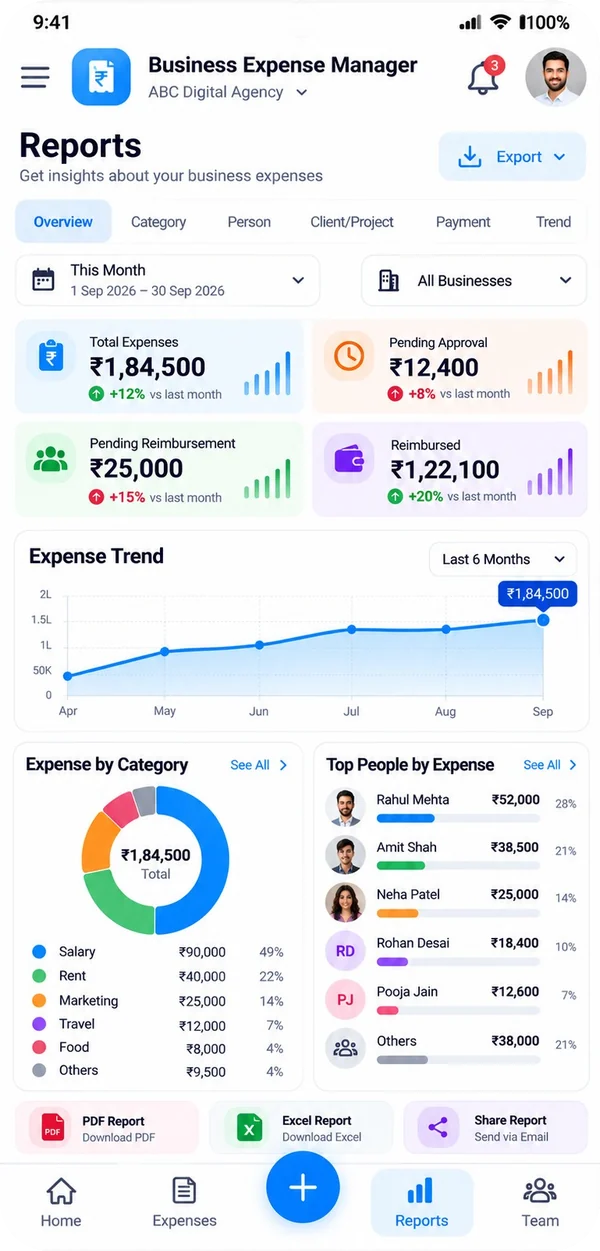
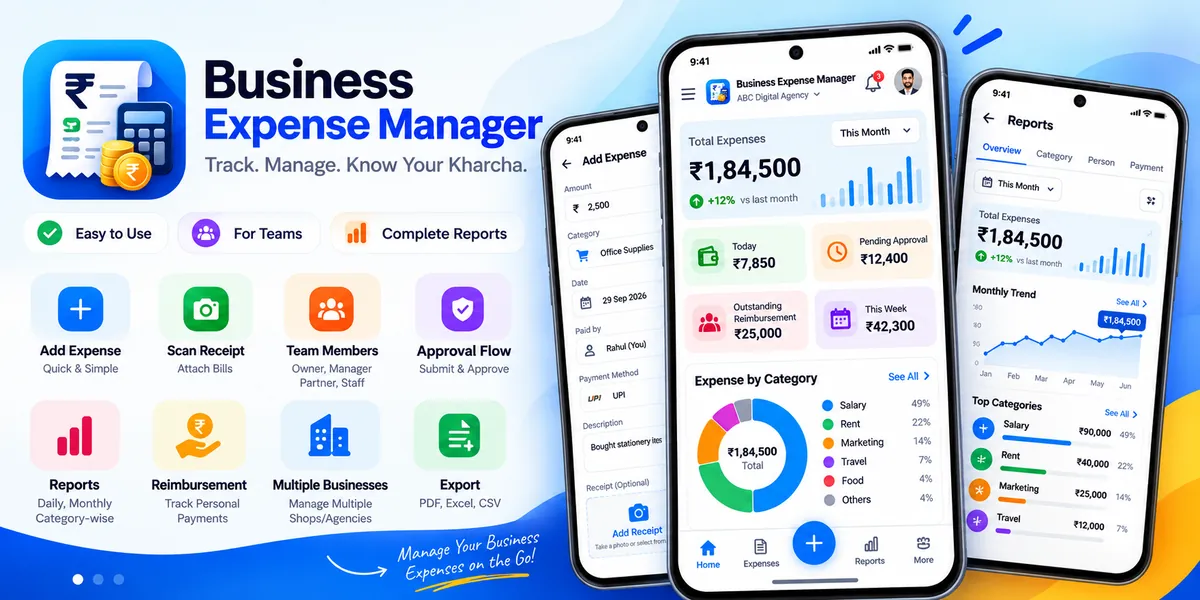
An expense book for a small agency that shares it. The owner records what the business paid, the team records what came out of their own pockets, and the two never get mixed up — approvals, reimbursements and the month's Excel, CSV or PDF report all come out of the same place.
The short version
One book, everybody's entries.
Business Expense Manager is not on Google Play yet. Everything on this page comes from the app itself.
- Platform
- Android 8.0 and newer
- Category
- Business
- Price
- Free, with one banner ad
- Your data
- In your agency's own database
- Reports
- Excel, CSV and PDF
- Status
- Coming soon
What it does
Four things it settles before month end.
Written for the owner who ends up asking everyone for their bills.
One book, not four phones
- The owner sets the business up with his own email, then adds managers, partners and staff from the Team screen
- Everyone signs in on his own phone and writes into the same book — an expense a manager files is on the owner's dashboard the moment it syncs
- A role decides what a person sees: the owner decides everything, a manager or partner sees and adds the whole business's expenses, a staff member sees only his own
- No signal in a client meeting? Record the expense anyway; it is kept on the phone and sent the moment the phone is back online
Every rupee, and whose pocket it left
- Amount, category, date, vendor, who paid, how it was paid, and which client or project it belongs to
- Business-paid and pocket-paid are kept strictly apart: only the second creates a reimbursement owed to that person
- Paying someone back is recorded as a settlement against the expense itself, never as a new expense — nothing gets counted twice
- Categories, payment methods, clients and projects are the agency's own lists, starting from sensible defaults you can rename, add to or switch off
Approvals, not arguments
- An expense filed by the team waits in the owner's approval list, with the count showing on the dashboard
- Approve it, refuse it with a reason, edit it or remove it — the person who filed it gets an alert in the app either way
- Reimbursement outstanding is shown person by person, oldest first, so it is clear what a payment would clear
- A settled expense keeps its own history: who filed it, who approved it, when it was paid back
A report you can hand to the accountant
- Month-wise summaries, or any date range you pick
- Breakdowns by category and by client or project, with the paid, pending and awaiting-approval figures separated
- Export to Excel (XLSX) or CSV for the accountant, or a print-ready PDF to file
- An automatic backup is written on the device once a day; the newest 14 are kept, and one can be exported and restored on a new phone
Where your data lives
Your agency's book, in your agency's account.
Expenses are stored in your agency's own database, hosted in Mumbai, and only the people the owner has added can reach it. The rules that decide who may read or write what are enforced on the server, not in the app, so a phone cannot talk its way into somebody else's expenses.
Signing in is handled by Firebase Authentication. The app never keeps your password, and adding a member does not give them anything outside the business they were added to.
Every record is also kept on the phone, so the app keeps working with no network; anything written offline is pushed when the connection returns. A backup file is written on the device once a day (the newest 14 are kept) and can be exported or restored by the owner.
The app's own internet use is the sync and the advertising (Google AdMob, one banner). Nothing about your expenses, your clients or your staff is ever part of an ad request.
Built with
- Kotlin
- Jetpack Compose
- Material 3
- Room
- Hilt
- Navigation
- Firebase Auth
- Firestore sync
- Offline-first
- Light & dark theme
- Android 8.0+
Not on Google Play yet
Still collecting bills in a WhatsApp group?
Business Expense Manager is in its final stretch before release. Tell me how your agency tracks its spending today and I will show you what the app would do with it.