Work — Lab Desk
Lab Desk
Laboratory reports, offline.
A report maker for pathology laboratories. Patients, doctors, tests and results live on the phone the bench already uses — and a finished report leaves it as a letterhead A4 PDF, printed or sent on WhatsApp.
The short version
The typing, the ranges and the layout.
Lab Desk is on Google Play now. Everything on this page comes from the app itself.
- Platform
- Android 8.0 and newer
- Category
- Medical
- Price
- Free, with one banner ad
- Your data
- On your phone only
- Reports
- A4 PDF, print or WhatsApp
- Status
- On Google Play
What it does
Four things it takes off the desk.
Written for the people who actually type the reports.
Set up once, then just type
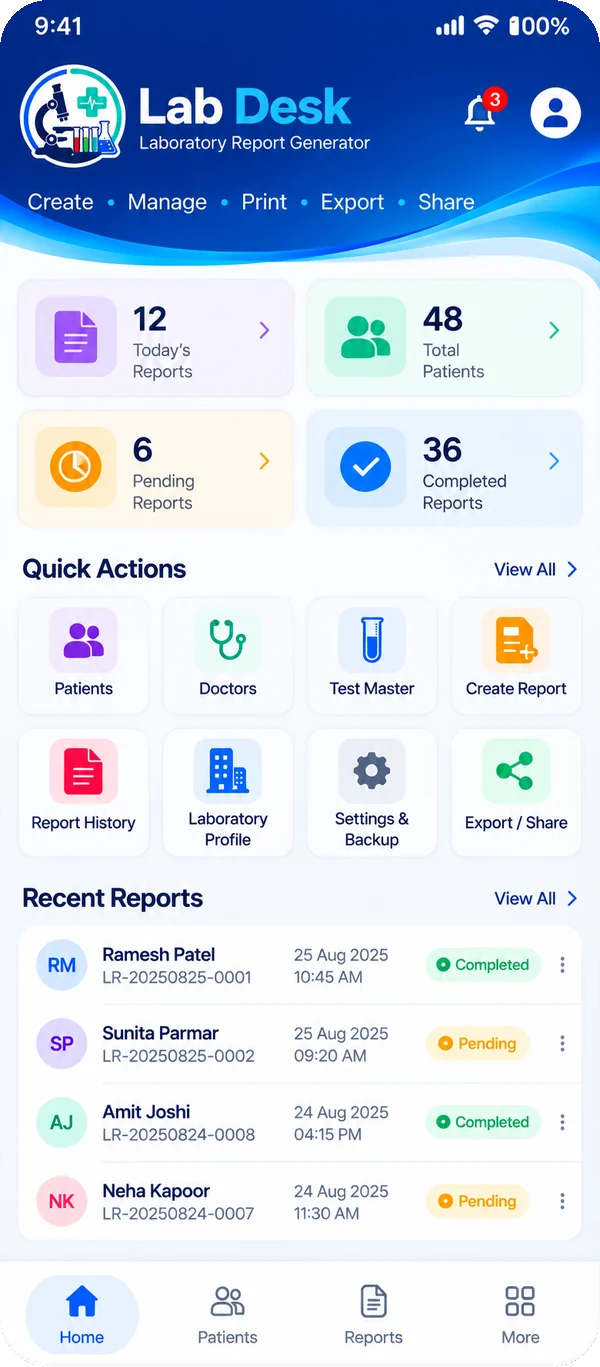
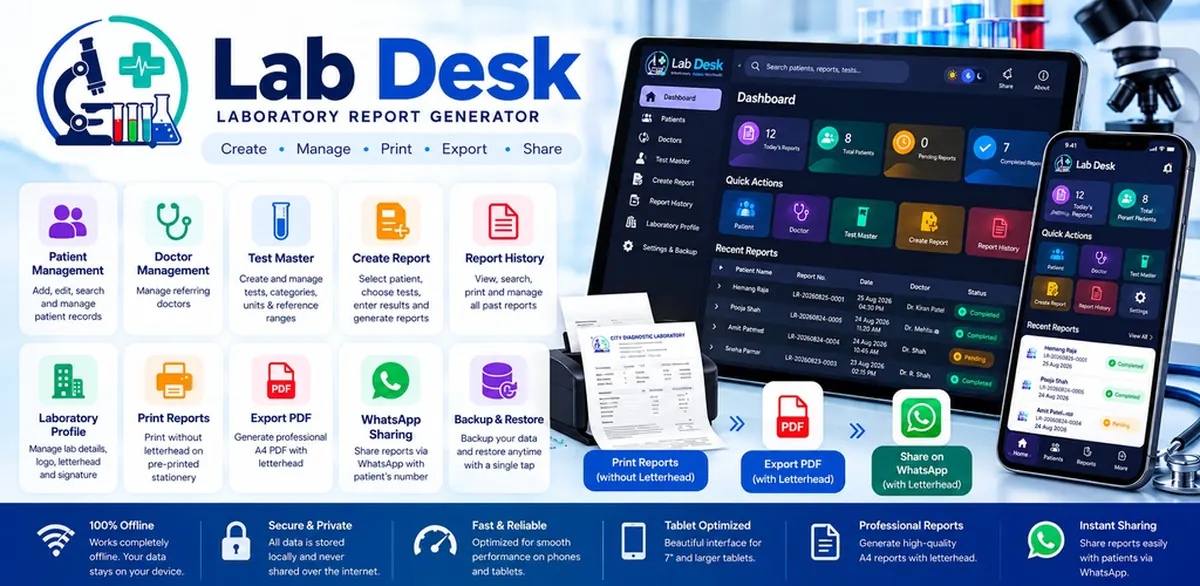
- Add patients and referring doctors once, then search and edit them as you go
- A test library of 129 tests across 8 categories — haematology, biochemistry, endocrinology, serology, urine, stool, microbiology and more
- 62 ready-made panels used in routine practice: Lipid Profile, LFT, KFT, CBC, Thyroid, Diabetes, Fever, Cardiac, health packages
- Activate only the tests and profiles your laboratory actually runs, singly or in bulk
Results that carry their own range
- Pick a profile with one tap, or choose single tests and type the values
- Unit, reference range, method and remarks arrive with the test and stay editable for that report only
- Values above or below their range are flagged on screen and printed in bold
- An already-issued report keeps its own copy of the patient and doctor details, so later edits cannot change it
A report you can hand over
- A clean A4 PDF with your own letterhead drawn in — laboratory name, address, phone, email, owner name and degree, logo, signature and slogan
- Results grouped profile-wise, one table per panel; tests left blank are not printed at all
- Print straight onto your pre-printed letterhead paper, with the blank space left at the top
- Send the PDF on WhatsApp, share it with any other app, or save it to Downloads
- Patient and doctor names typed in Gujarati or Devanagari print correctly
Every report, still there tomorrow
- Report history stays on the device — reopen, print or send any of them again
- Backup export and import in a single zip file, for a new phone
- An automatic snapshot the first time the app is opened each day
- Light and dark theme, and a layout for phones and tablets
Where your data lives
Patient records stay in the laboratory.
Lab Desk stores everything in its own private storage on the device. There is no account to create, no cloud database and no online copy of a patient — no part of the app's own code has a network client.
Android's own cloud and device-transfer backup is switched off for the app, so the operating system does not copy laboratory data to a Google account or to another device. What leaves the phone is what you decide to send: a finished report to WhatsApp, a PDF into Downloads, a sheet to the printer, or a backup zip to a folder you choose.
The only thing in the app that uses the internet is the advertising (Google AdMob, one banner below the navigation bar). The ad software adds the internet permission for itself, and nothing about your patients, their tests or their results is ever part of an ad request.
Built with
- Kotlin
- Jetpack Compose
- Material 3
- Room
- Hilt
- Navigation
- Offline-first storage
- Light & dark theme
- Android 8.0+
On Google Play
Run a laboratory that types reports by hand?
Install it from Google Play, or tell me how your reports are prepared today and I will show you what the app would do with them.