Work — Personal Expense Manager
Personal Expense Manager
Every rupee, in one place.
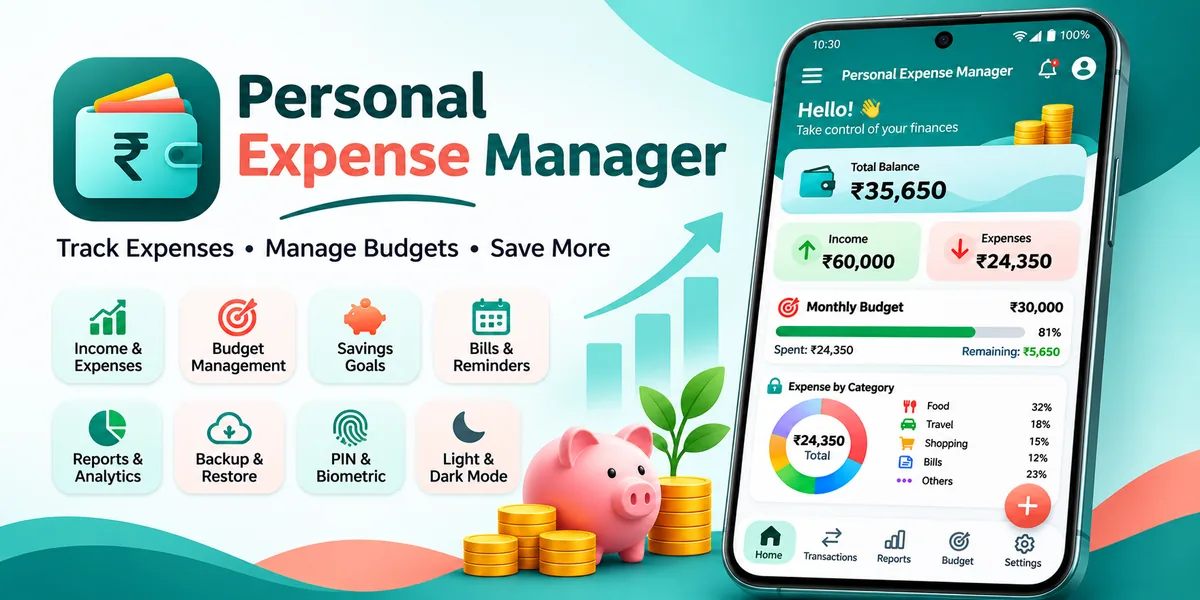
A personal expense book that lives entirely on the phone. Record what you spend and what comes in, set a monthly budget that turns amber before it is too late, keep savings goals moving, and get a reminder a few days before a bill is due — then export the month to PDF or Excel. The app asks for no account and no sign-in; a single banner ad at the bottom of the main screens keeps it free.
The short version
A budget you can keep without an account.
Personal Expense Manager is not on Google Play yet. Everything on this page comes from the app itself.
- Platform
- Android 8.0 and newer
- Category
- Finance
- Price
- Free, with a banner ad
- Your data
- On this phone only
- Reports
- PDF and Excel
- Status
- Coming soon
What it does
Four things that keep the month honest.
Written for the person who finds out on the 28th that the money is already gone.
An expense book that takes seconds
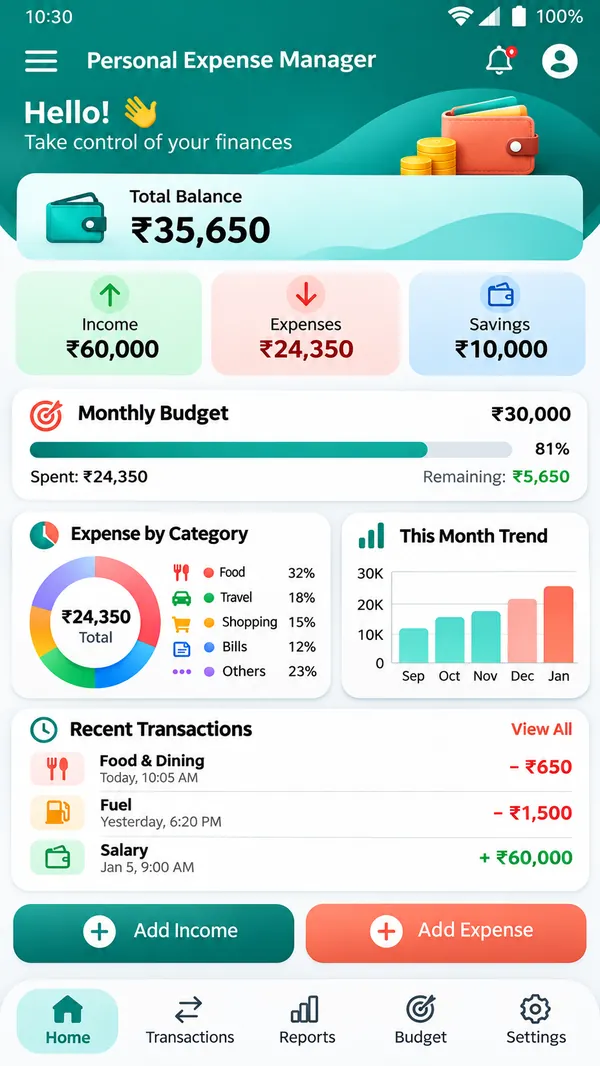
- Amount, category, date, payment method and an optional note — saved in three taps from the button on the home screen
- Income goes in the same book, so salary, freelance work and refunds sit beside the spending they paid for
- Thirteen expense categories and five income categories are ready on install; any of them can be renamed, recoloured or replaced
- Attach a photo of the bill to a transaction, and search or filter the whole history by text, category, payment method or date range
A budget that warns you early
- One monthly limit, plus a separate limit for each category you want to watch
- The bar turns amber at 80%, darker at 90% and red once the limit is passed — before the month is over, not after
- The home screen always shows what is left of the budget, the amount already spent, and the share used
- Month by month navigation, so last month's numbers stay readable instead of being overwritten
Savings goals and the bills nobody remembers
- Goals with a target amount and a target date, and a running percentage as money is set aside
- Recurring payments marked daily, weekly, monthly or yearly — rent, EMI, electricity, subscriptions
- A daily check sends a notification a few days before each due date, and re-arms itself after a reboot
- Reminders can be switched off entirely in Settings, per app, without touching the records
Reports you can actually hand over
- Daily, weekly, monthly and yearly spending, category splits, and income against expenses on the same chart
- A full monthly report exported as a print-ready PDF, or as a real Excel workbook with the raw rows
- An automatic backup is written on the device once a day; any snapshot can be exported and restored on a new phone
- Rupees by default, with dollars, euros, pounds, dirhams and yen available in Settings
Where your data lives
On your phone, and nowhere else.
Expenses, budgets, goals and bill reminders are stored in a local database on the phone. There is no account, no sync and no server behind the app, so there is nowhere for a figure, an amount or a note to go — the database is the only copy, and it lives in the app's private storage.
There is no account and no sign-in. The optional app lock stores a PBKDF2 hash of your four-digit PIN, never the PIN itself, and the fingerprint check is handled by Android on the device.
The full detail — what is stored, what the ad request does and does not carry, every permission and why it exists, and how to delete everything — is in the privacy policy.
Backups are files you create yourself: a daily snapshot kept inside the app's private storage, and a JSON export you save through the system file picker wherever you choose. Uninstalling the app deletes its local data, so export first if you want to keep the history.
Network use is limited to two things: the banner ad's own request, and Google Play checking for an app update. The ad is served by Google AdMob at the bottom of the main screens; it never receives an amount, a category, a note or a balance, because the app hands it nothing but the screen it is on. With mobile data and Wi-Fi off the ad simply does not load, and every other part of the app — including the reports — keeps working.
Built with
- Kotlin
- Jetpack Compose
- Material 3
- Room
- Hilt
- DataStore
- WorkManager
- Navigation
- Offline-first
- PIN & fingerprint lock
- PDF & Excel export
- Light & dark theme
- Android 8.0+
Not on Google Play yet
Still tracking spends in a notes app?
Personal Expense Manager is in its final stretch before release. Tell me how you track money today and I will show you what the app would do with it.